
Uncategorized
Seedance Movie Creation Guide: How to Generate More Cinematic Video Content
Seedance Movie Creation Guide: How to Generate More Cinematic Video Content If you want your seedance movie outputs to f

If you want your seedance movie outputs to feel less like “AI-generated clips” and more like real cinematic content, the key is not just using the model — it is giving it the right creative structure. This guide explains how to plan prompts, choose formats, and shape motion so your short videos look more polished, more coherent, and more film-like.
Seedance 2.0 on SdanceAI supports text-to-video and image-to-video, with short-form output up to 15 seconds and resolutions including 480p, 720p, and 1080p. That makes it especially useful for short cinematic pieces, social content, product visuals, fashion clips, and concept scenes.
1. Start with a cinematic goal, not just a prompt
Conclusion: A cinematic result begins with a clear scene purpose. If you only describe an object or action, the output may feel flat. If you define mood, camera behavior, and story intent, the video is more likely to feel like a movie shot.
Why this matters
A seedance movie works best when the prompt gives the model a structured visual direction. Cinematic content usually needs:
- a subject with a clear role
- a setting with atmosphere
- motion that feels intentional
- camera language that suggests film grammar
Without these elements, the video may still be usable, but it may look generic.
Practical advice
When writing a prompt, include:
- Subject: who or what is in the scene
- Action: what is happening
- Mood: emotional tone or atmosphere
- Camera style: close-up, wide shot, tracking shot, etc.
- Visual quality: realistic lighting, shallow depth of field, dramatic contrast, etc.
Prompt structure example
Instead of:
- “A person walking at night”
Try:
- “A lone woman walking through a rain-soaked city street at night, neon reflections on the pavement, slow tracking shot, moody lighting, cinematic realism, shallow depth of field”
That second version gives the model more to work with and usually leads to a more film-like result.
2. Use short-form storytelling to fit the model’s strengths
Conclusion: Seedance 2.0 is built for short videos, so the best seedance movie ideas are compact, visual, and emotionally clear. Do not try to force a long narrative into a short clip.
Why this matters
The available generation scope is up to 15 seconds, which makes it ideal for:
- a single striking moment
- a short transformation
- a product reveal
- a fashion pose sequence
- a mood-driven scene
Trying to pack too many beats into one clip can reduce clarity and make motion feel unstable.
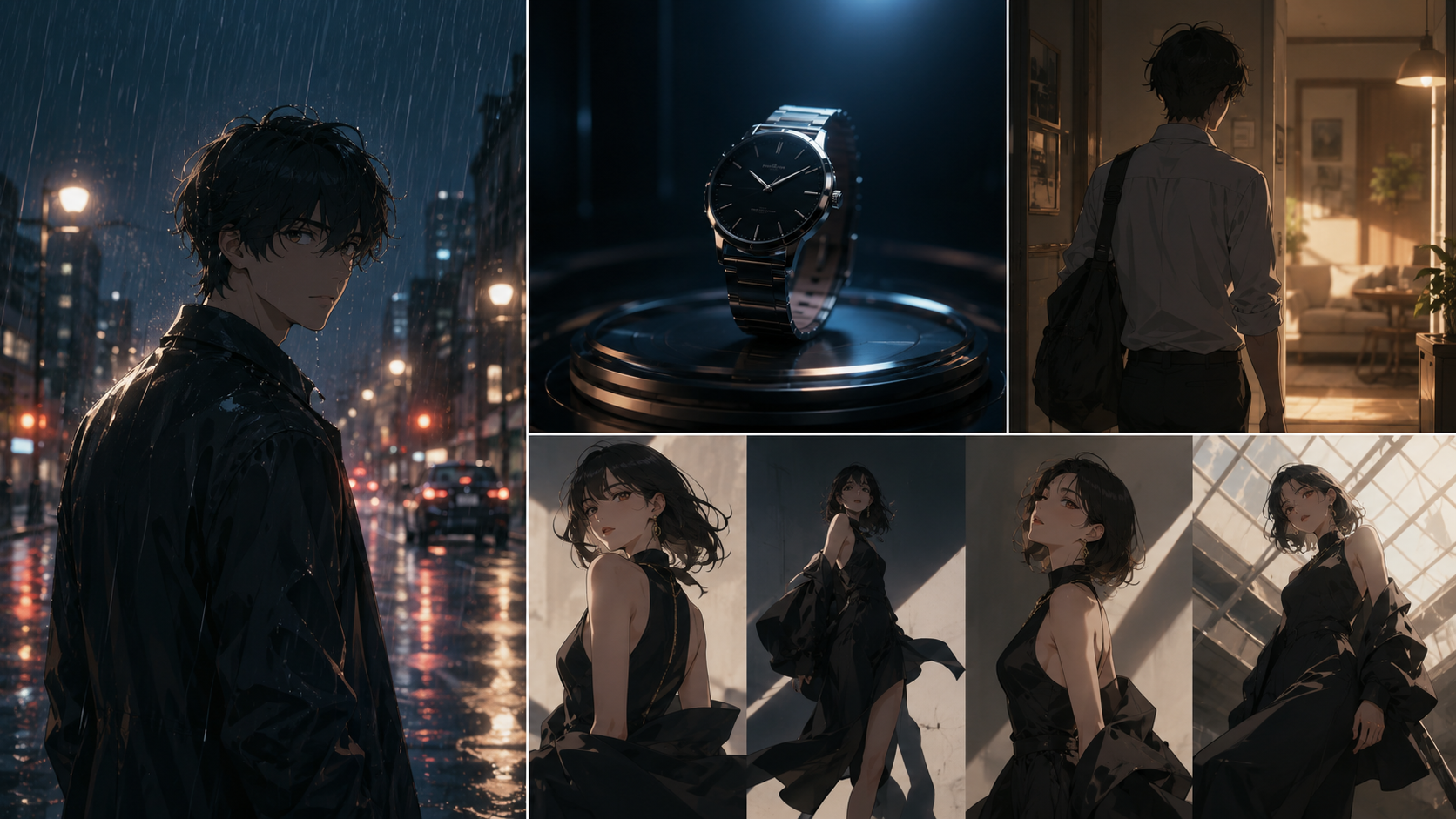
What works best
A strong short-form cinematic video usually has one of these structures:
- One moment, one mood
Example: a character standing in the rain, turning slowly toward camera. - One action with visual progression
Example: a product rotating under dramatic light. - One emotional beat
Example: a person arriving home after work with a quiet, reflective mood. - One stylized sequence
Example: fashion poses with controlled camera movement.
Practical advice
Before generating, ask:
- What is the single most important visual idea?
- Can this idea be understood in 5–15 seconds?
- Does the scene need dialogue, or can it work visually?
- What should the viewer remember after the clip ends?
If your answer is not clear, simplify the concept.
3. Control motion and camera language for a more film-like result
Conclusion: Cinematic quality depends heavily on motion design. In a seedance movie, camera behavior should feel intentional, not random.
Why this matters
Film-like content often feels cinematic because of:
- stable framing
- controlled movement
- deliberate pacing
- visual emphasis on the subject
If the motion is too busy or the camera changes feel inconsistent, the scene can become less believable.
What to specify in prompts
You can improve the output by describing camera and motion in plain language, such as:
- slow push-in
- gentle tracking shot
- static medium shot
- close-up on facial expression
- smooth pan across the scene
- subtle body movement
- controlled choreography
Practical advice
Use motion that matches the scene type:
| Scene Type | Better Motion Choice | Why It Works |
|---|---|---|
| Product video | Slow rotation, clean camera movement | Keeps attention on the object |
| Documentary-style scene | Natural expression, subtle movement | Feels observational and grounded |
| Explainer-style scene | Clear subject action, simple framing | Keeps the message readable |
| Fashion video | Pose transitions, elegant camera motion | Highlights style and silhouette |
| Lifestyle scene | Soft motion, emotional pacing | Supports mood and realism |
| Entertainment scene | Exaggerated action, dynamic movement | Adds energy and visual rhythm |
Good practice
Keep the camera direction aligned with the subject:
- If the subject is emotional, use calmer movement.
- If the subject is energetic, use more dynamic motion.
- If the subject is detailed, avoid overly chaotic camera changes.
4. Choose the right format, resolution, and source type
Conclusion: The best seedance movie output depends on choosing the right input method and output format for your creative goal.
Why this matters
Seedance 2.0 supports both:
- Text to video: best when you want to create a scene from scratch
- Image to video: best when you already have a strong visual reference and want to animate it
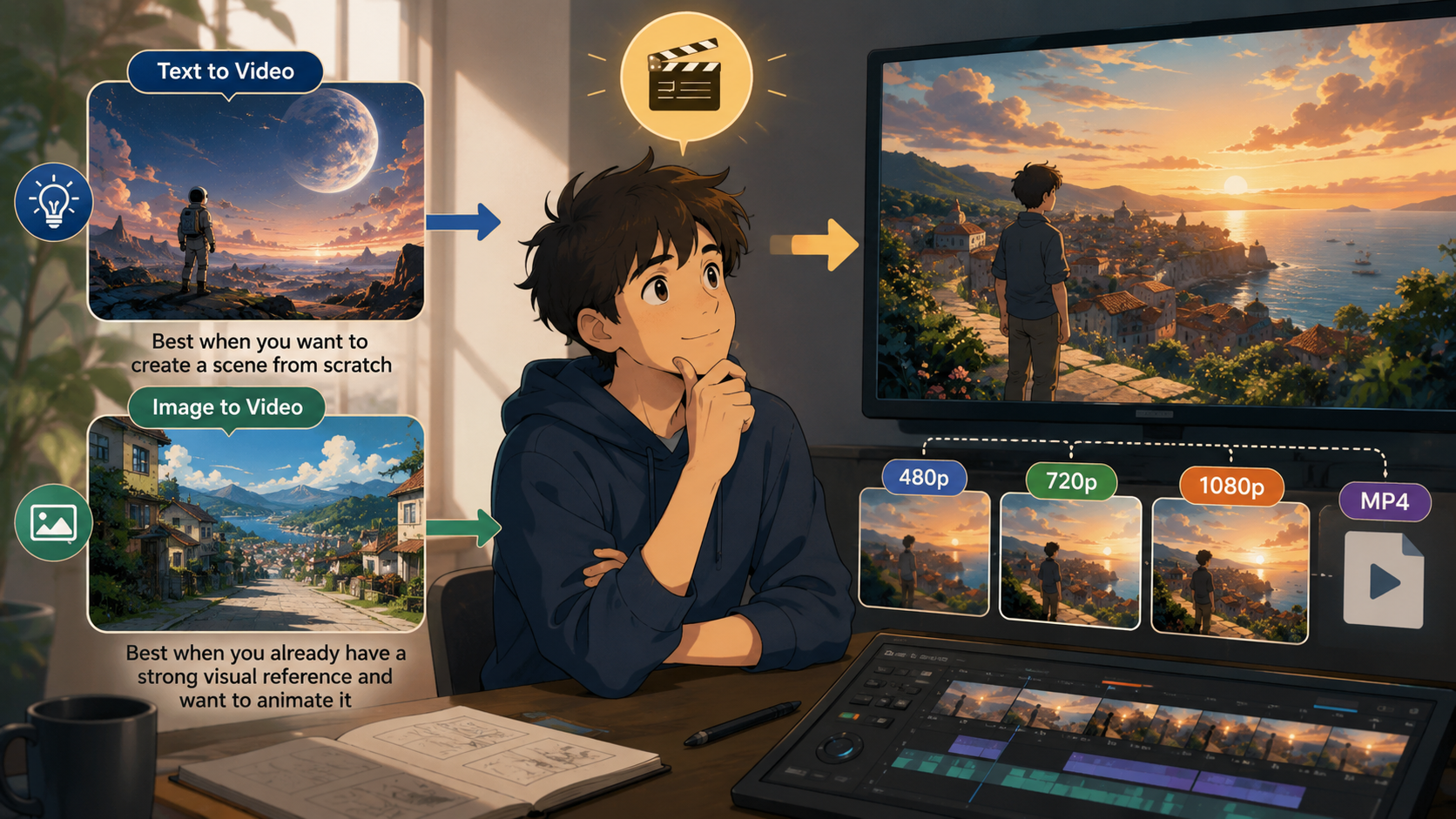
It also supports output resolutions such as 480p, 720p, and 1080p, with finished renders available as MP4. That makes it practical for short-form publishing workflows.
When to use text-to-video
Use text-to-video when:
- the idea is still being developed
- you want more creative variation
- you need a scene generated from a written concept
When to use image-to-video
Use image-to-video when:
- you already have a strong frame or design
- you want to preserve style consistency
- you need animation built around a reference visual
Practical advice
Pick settings based on your goal:
- Use 1080p if the video will be viewed in higher-quality environments or repurposed across platforms.
- Use 720p for general content production where balance matters.
- Use 480p when you want to explore ideas quickly.
If you are creating a seedance movie for social content, the format choice should match the final use case, not just the highest available setting.
5. Refine prompts around clarity, style, and production intent
Conclusion: The difference between an average output and a strong cinematic clip often comes down to prompt precision.
Why this matters
AI video generation responds better when the prompt communicates not just what appears on screen, but how the scene should feel and move. A clear prompt helps reduce ambiguity.
Prompt checklist
Before generating, make sure your prompt includes:
- Who or what is the focus
- What action is happening
- Where the scene takes place
- What mood the scene should have
- How the camera should behave
- What visual style you want
Example prompt formula
You can use this structure:
Subject + action + environment + mood + camera movement + visual style
Example:
“A young chef plating dessert in a quiet modern kitchen, warm evening light, slow close-up, elegant and cinematic, realistic texture, soft background blur”
Practical advice
To improve consistency:
- avoid mixing too many unrelated ideas
- keep one visual theme per clip
- use style words that support the same mood
- if the scene feels too crowded, remove secondary details
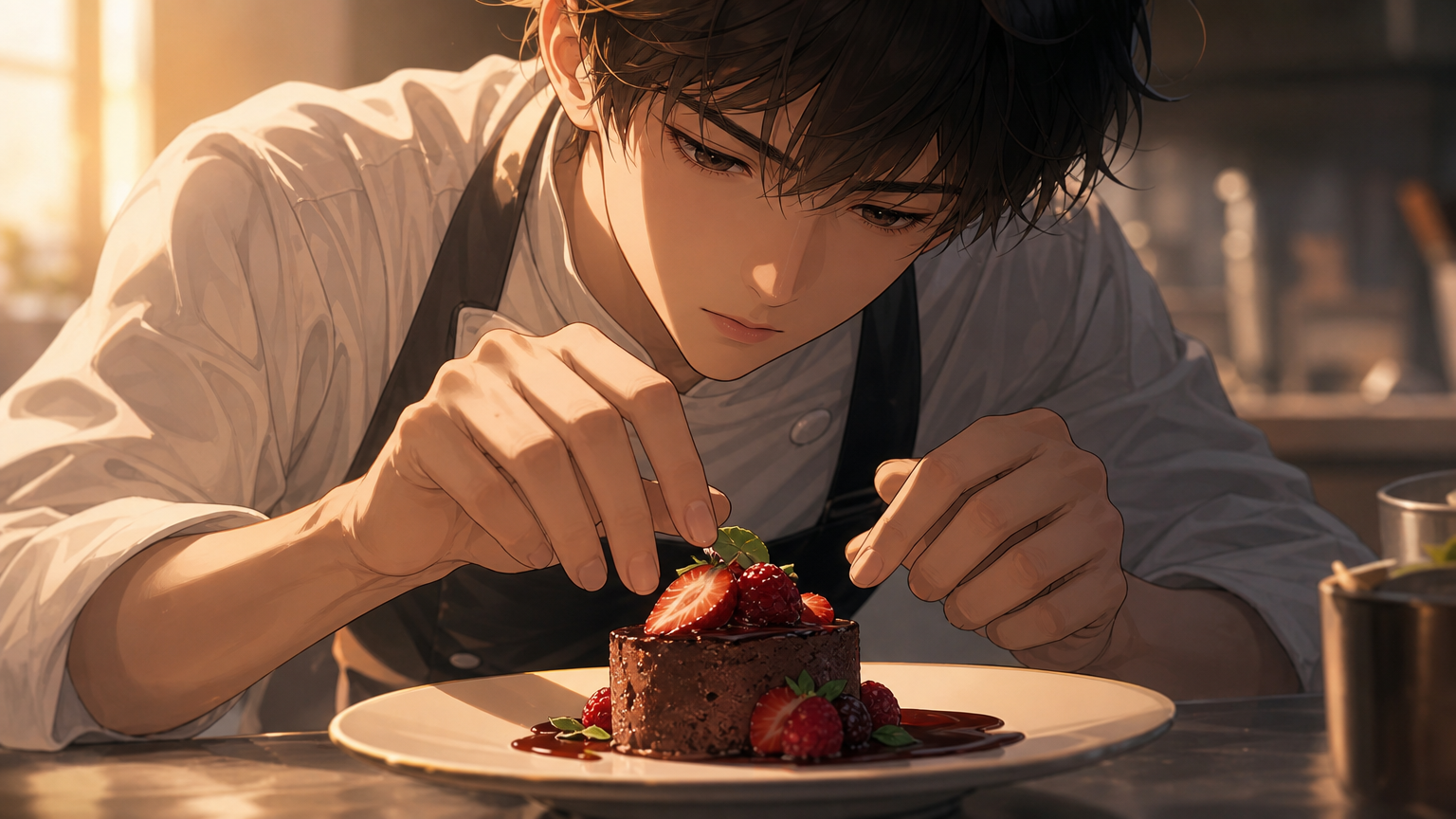
A strong seedance movie prompt is specific enough to guide the generation, but not so overloaded that it confuses the visual output.
Quick prompt optimization table
| Goal | What to Emphasize | What to Avoid |
|---|---|---|
| Cinematic look | Mood, lighting, camera movement | Vague one-line prompts |
| Smooth motion | Simple subject action, controlled movement | Too many simultaneous actions |
| Better realism | Natural settings, grounded behavior | Overly abstract directions |
| Strong short-form output | One clear visual idea | Multi-scene storytelling |
| Stable visual focus | One subject, one purpose | Crowd-like compositions with no focal point |
FAQ
What is a seedance movie?
A seedance movie is a short AI-generated video created with Seedance 2.0, often designed to feel more cinematic through better prompts, motion control, and visual composition.
Is Seedance 2.0 suitable for long videos?
Based on the available scope, Seedance 2.0 is built for short-form production and supports up to 15 seconds. It is not presented as a long-form video solution.
Should I use text-to-video or image-to-video?
Use text-to-video when you want to generate a scene from scratch. Use image-to-video when you already have a reference image and want animation based on that visual.
What resolution options are available?
The available resolution options include 480p, 720p, and 1080p.
What file format can I download?
Finished renders can be downloaded as MP4.
Summary
A strong seedance movie is not just about generating video — it is about directing the result with clear cinematic intent. To get better outputs:
- define a single visual goal
- keep the story short and focused
- guide motion and camera language clearly
- choose the right input method and resolution
- refine prompts for mood, clarity, and style
If you treat the prompt like a shot brief rather than a casual description, your videos are much more likely to look polished, coherent, and cinematic.