
Uncategorized
Seedance 2.0 Free Trial Review: Access, Permissions, and Key Considerations
Seedance 2.0 Free Trial Review: Access, Permissions, and Key Considerations If you are wondering whether the seedance 2.

If you are wondering whether the seedance 2.0 free trial is actually usable, what you can do with it, and what limitations you should expect, this article gives you a clear, practical overview. Based on the current product information, Seedance 2.0 is available through SdanceAI with immediate access for new users, credit-based usage, and support for short-form AI video generation.
1) What the Seedance 2.0 Free Trial Actually Offers
Conclusion: The trial is designed for quick hands-on testing, not unlimited generation.
Seedance 2.0 on SdanceAI allows new users to start right away and earn credits through daily tasks. That means the trial is closer to a credit-based entry experience than a fully unrestricted free plan.
What you can do
- Generate short AI videos from text prompts
- Create videos from a reference image
- Use the product online without requiring a long onboarding process
- Export finished videos in MP4 format
What the current scope supports
- Resolution: 480p, 720p, and 1080p
- Duration: Up to 15 seconds
- Workflow: Text-to-video and image-to-video
Practical advice
- Use the free trial to test whether the model matches your creative style
- Start with short prompts and simple visual goals
- Save your credits for higher-value experiments, such as product clips or ad-style scenes
2) How to Access the Trial and Where It Fits in the Workflow
Conclusion: Access appears straightforward, and the product is positioned for immediate use.
According to the product description, new users can access Seedance 2.0 right away on SdanceAI. The platform is presented as an online AI video generator with an API option for developers.

Access channels
| Access method | Best for | Notes |
|---|---|---|
| Online app | Individual creators and testers | Fast way to try text-to-video or image-to-video |
| API access | Developers and product teams | Suitable for integration into workflows |
Typical trial workflow
- Open the platform
- Choose text-to-video or image-to-video
- Enter a prompt or upload a reference image
- Generate a short clip
- Download the result as MP4 if it fits your needs
Practical advice
- If you only want to evaluate output quality, start with the online app
- If you are planning a product integration, review the API options early
- Keep your first test simple so you can judge motion quality, framing, and prompt adherence more clearly
3) Permissions, Limits, and What You Should Expect
Conclusion: The free trial is useful, but it is intentionally limited to short-form production.
The current product scope is focused on short clips. There is no indication of long-form support, and the site explicitly positions the tool as built for short-form production.
Key limitations to know
- Maximum video length: 15 seconds
- Output resolutions: 480p / 720p / 1080p
- The trial is credit-based, so usage is not unlimited
- The product is centered on short-form generation rather than extended narratives
What this means in practice
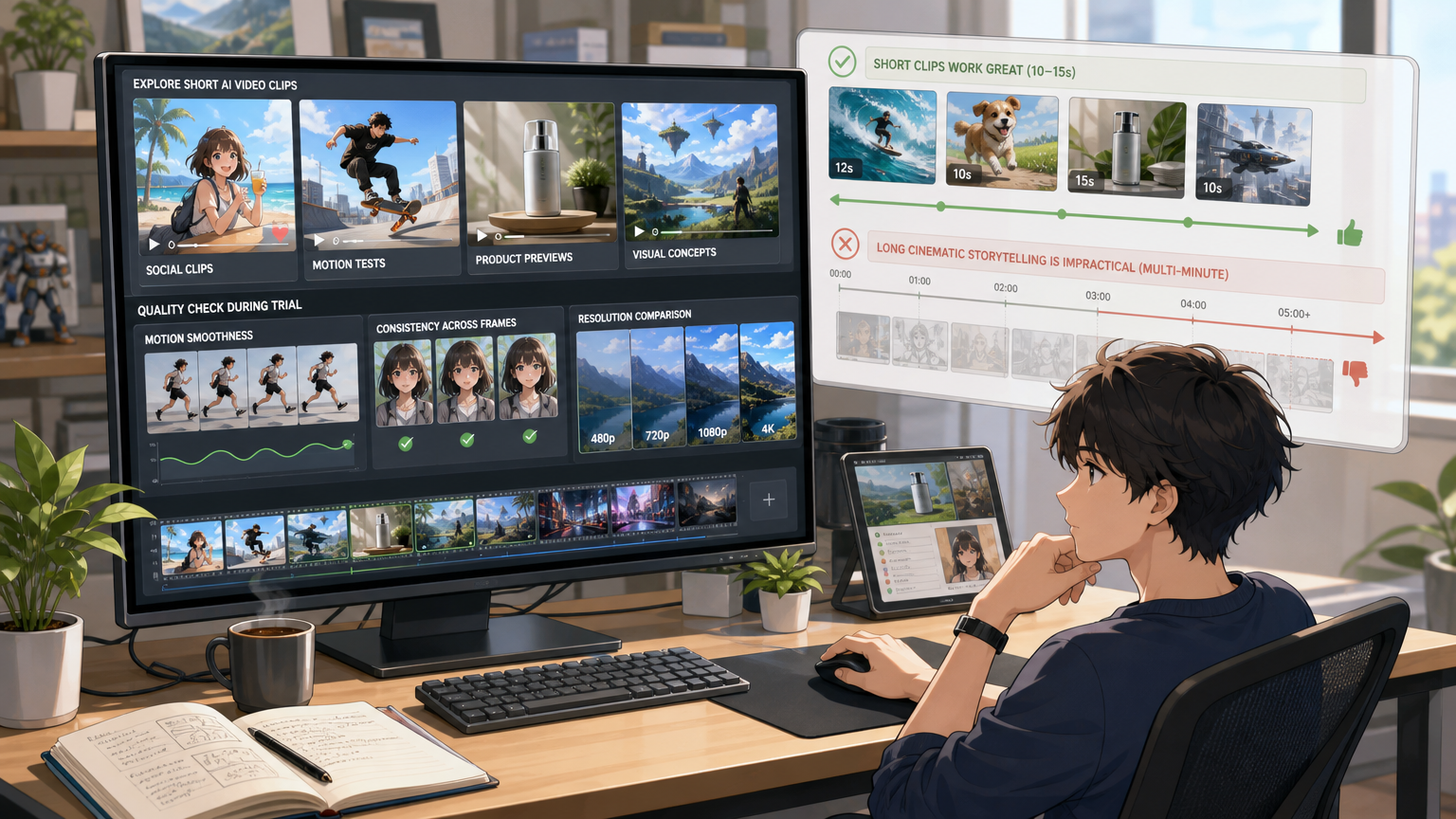
- Good fit for social clips, motion tests, product previews, and short visual concepts
- Not ideal for long scenes or multi-minute storytelling
- You should not expect the free trial to replace a full production pipeline
Practical advice
- Use 10–15 second prompts when evaluating motion and consistency
- Test each resolution separately if output clarity matters
- Plan around short-form use cases rather than trying to force long narrative scenes
4) Quality Signals You Can Check During the Trial
Conclusion: The trial is most valuable when you test the output against real production needs.
The showcase examples on the site suggest the model is being used for product, documentary, explainer, fashion, lifestyle, and entertainment-style clips. Some examples also mention camera movement, emotional expression, and audio-driven output.
What to evaluate
- Prompt adherence: Does the video follow your input idea?
- Motion quality: Are movements smooth and believable?
- Visual consistency: Do characters and scenes stay coherent?
- Format fit: Does the clip work in vertical or horizontal framing?
- Export usability: Is MP4 output convenient for your workflow?
Suggested trial checklist
- Try one text prompt and one image-based prompt
- Test both vertical and horizontal compositions
- Compare 720p and 1080p if you need sharper delivery
- Review whether the clip feels usable for social media or presentation contexts
Practical advice
- Evaluate with a realistic use case instead of abstract prompts
- Keep notes on which prompt style gives the cleanest output
- If you need reliable short-form assets, pay attention to consistency more than novelty
5) Best Use Cases for the Free Trial
Conclusion: The free trial is best used as a fast validation tool.
Based on the available information, Seedance 2.0 is well suited for short-form content generation, especially when you want to quickly test AI video output without committing to a full workflow.
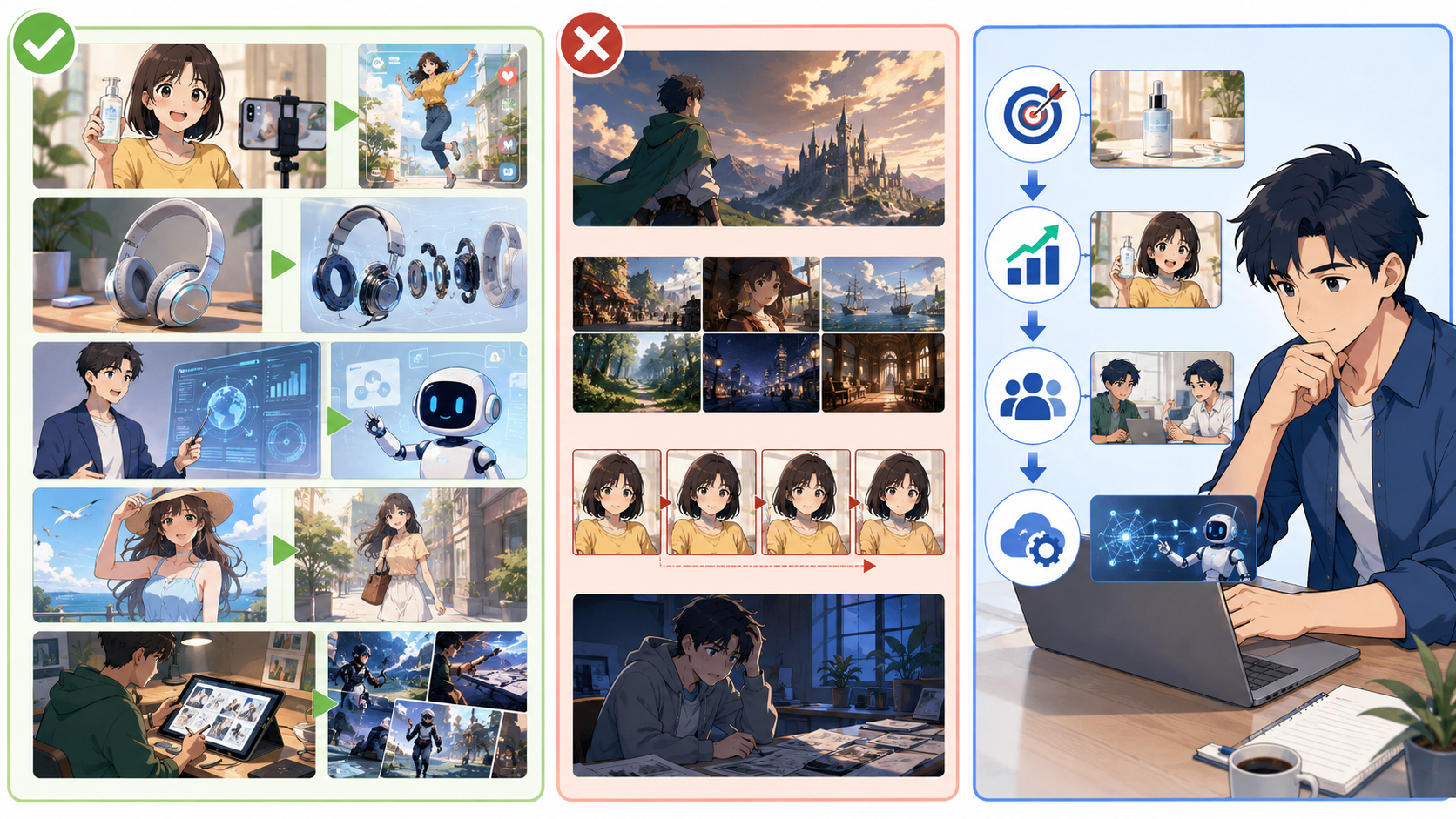
Strong use cases
- Social media video concepts
- Product demo snippets
- Explainer-style visual tests
- Fashion or lifestyle clips
- Rapid creative prototyping
Less suitable use cases
- Long-form storytelling
- Multi-scene productions longer than 15 seconds
- Projects that require complex continuity across many shots
Practical advice
- Use the trial to validate one specific content format first
- If the results meet your needs, then consider scaling into a broader workflow
- For teams, decide early whether online testing is enough or whether API access is necessary
FAQ
Is Seedance 2.0 free to try?
Yes, the product information indicates that new users can access Seedance 2.0 right away and earn credits through daily tasks.
What can I generate in the trial?
You can generate short AI videos from text prompts or from a reference image.
How long can each video be?
The current scope supports videos up to 15 seconds.
What resolutions are available?
The supported resolutions are 480p, 720p, and 1080p.
Can I download the result?
Yes, finished renders can be downloaded as MP4 files.
Is this a long-form video tool?
No. The product is positioned for short-form production, not long-form video generation.
Summary
The seedance 2.0 free trial is a practical way to test Seedance 2.0 before committing to deeper usage. It gives new users immediate access, supports text-to-video and image-to-video generation, and allows short clips up to 15 seconds in 480p, 720p, or 1080p. The main takeaway is simple: use the trial to validate short-form output quality, workflow fit, and export convenience. If your needs are centered on fast AI video prototyping, it is worth testing.